

Free CV templates for games jobs
Ten free templates, from plain and classic to bold and creative. No sign-up, no catch.


A CV that gets you seen
I’ve been recruiting for over 25 years, and I’ve read more CVs than I could ever count. Some of the best people I’ve placed had CVs that didn’t do them justice. A great programmer with a two-line summary. A brilliant artist whose portfolio link was buried on page three. A producer who’d shipped several titles but never actually said so.
So I’ve put together ten free CV templates. Games is full of different people doing very different jobs, and one style doesn’t suit everyone. Some of these are calm and classic. Others are bold, with space to show your art, your renders or a still from your showreel, so studios can see your work before they’ve read a word.
Every one comes as a Word document you can edit in Word, Google Docs, Pages or LibreOffice, with a PDF preview, and a completed example so you can see how a finished CV might look.
They’re free, there’s no sign-up, and you don’t need to be working with me to use them.
Pick your style
Click “Download template” for the editable Word file, or “See an example” to see a finished CV in that style. The people, studios and games in the examples are all made up.
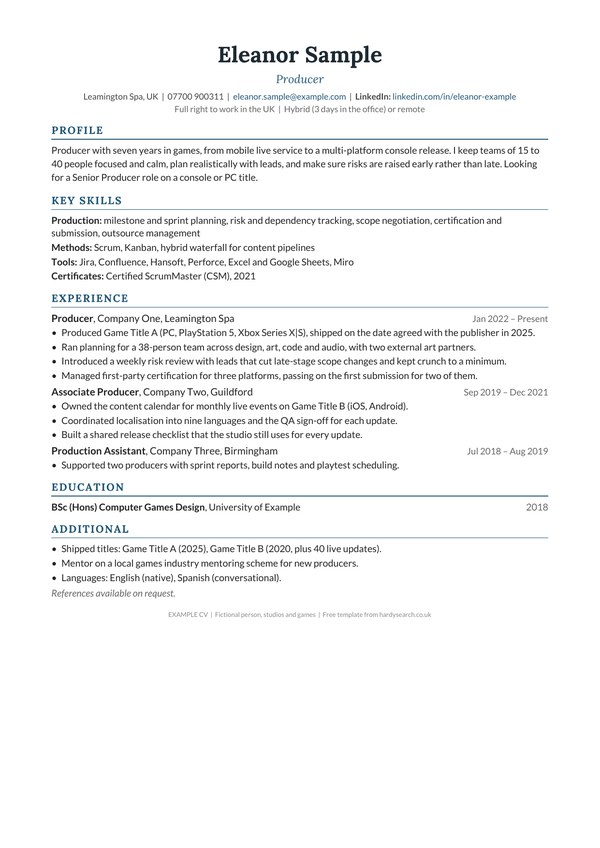
01 Classic
Suits: Anyone, and the safest choice for online application systems. Great for producers, QA, programmers and senior roles.
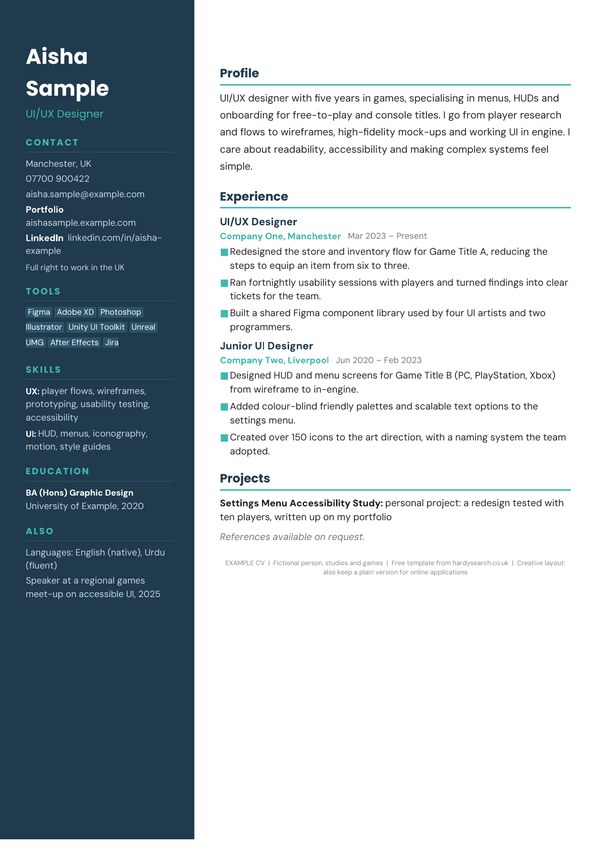
02 Modern two-column
Suits: Designers, UI/UX and anyone with lots of tools and skills to list.
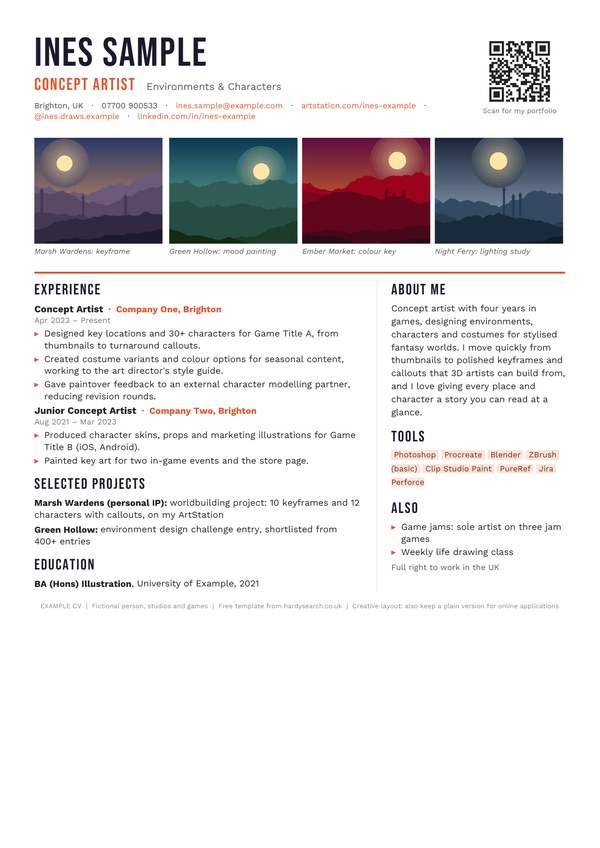
03 Art showcase
Suits: Concept artists, illustrators and 2D artists who want their art seen first.
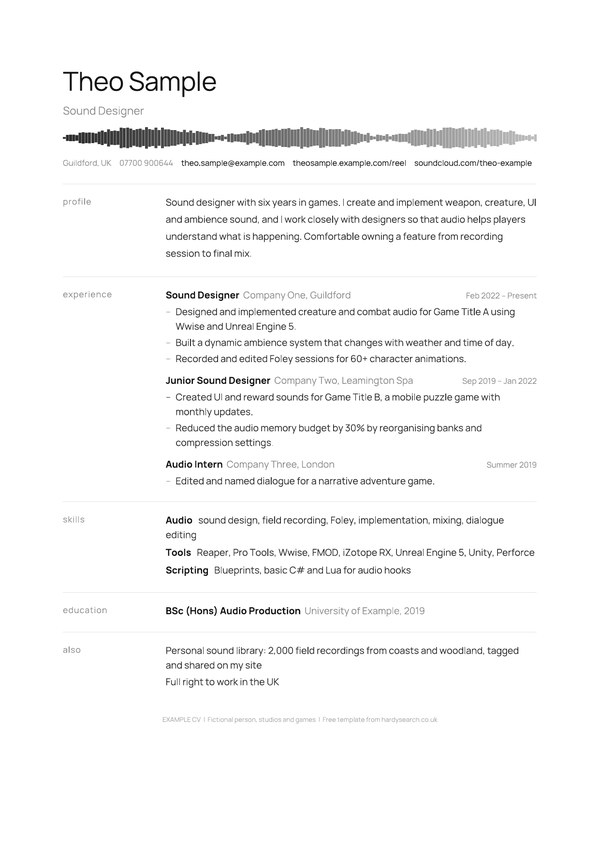
04 Minimalist
Suits: Audio, writers, UX and anyone who likes calm and understated.
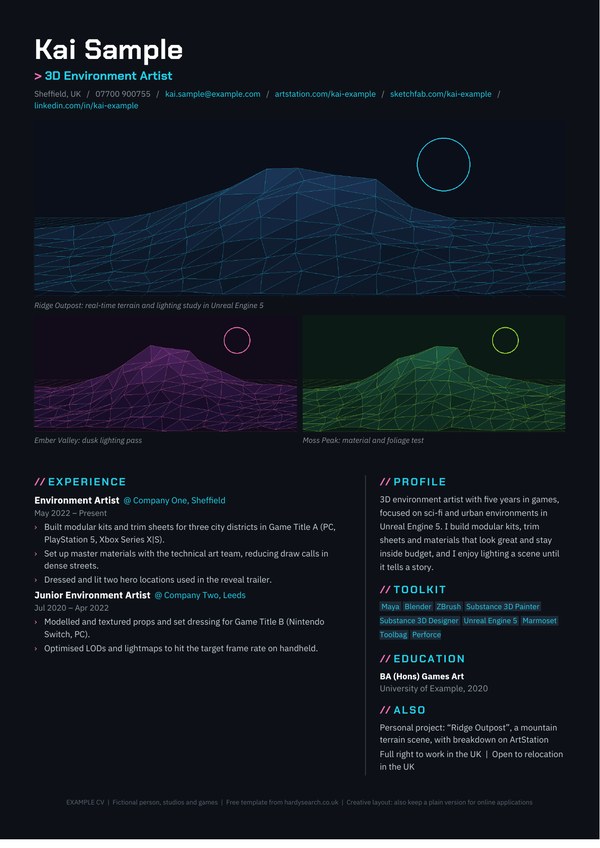
05 Dark mode neon
Suits: 3D, environment, VFX and tech artists with strong renders.
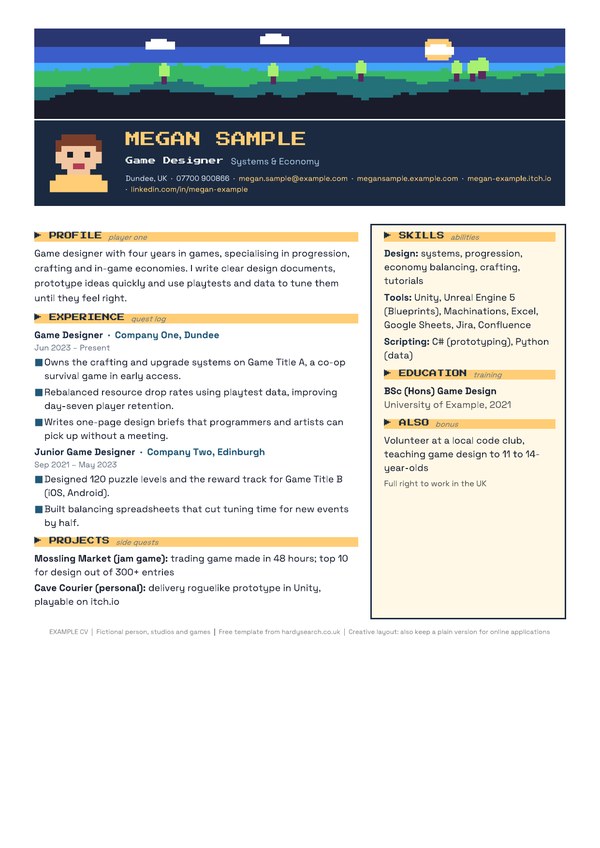
06 Pixel retro
Suits: Game designers, indie developers and pixel-art fans.
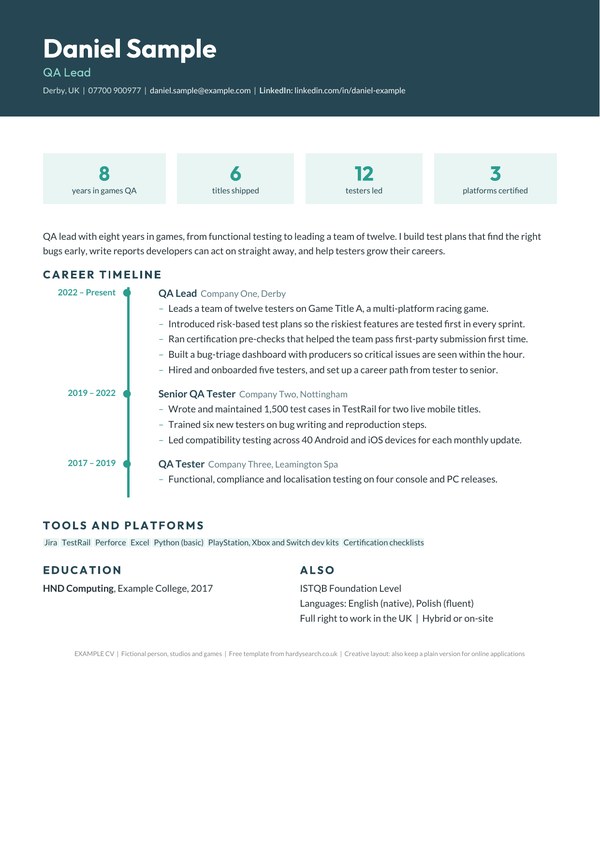
07 Timeline
Suits: QA, production and anyone with steady career progression to show.
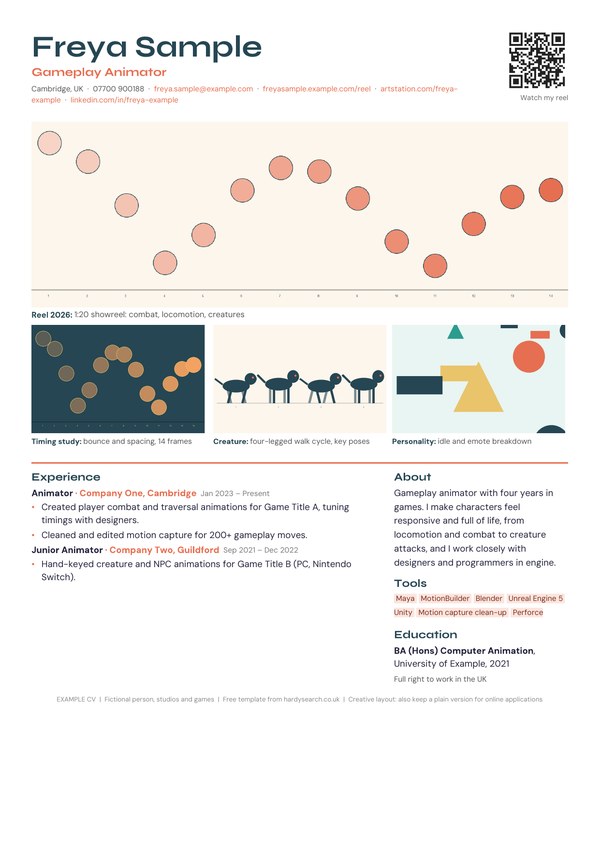
08 Portfolio-first
Suits: Animators, VFX and motion artists, and anyone whose reel matters most.
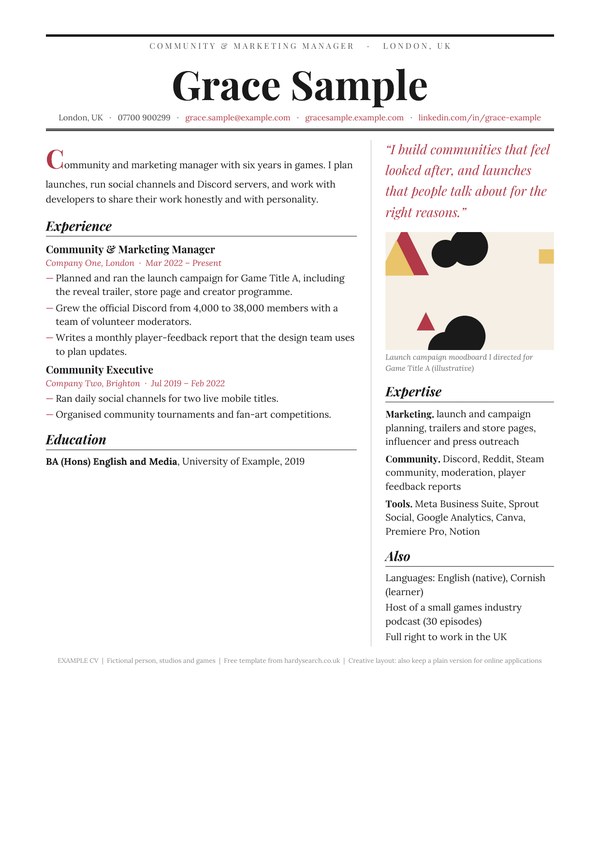
09 Editorial
Suits: Marketing, community, PR, writers and narrative designers.
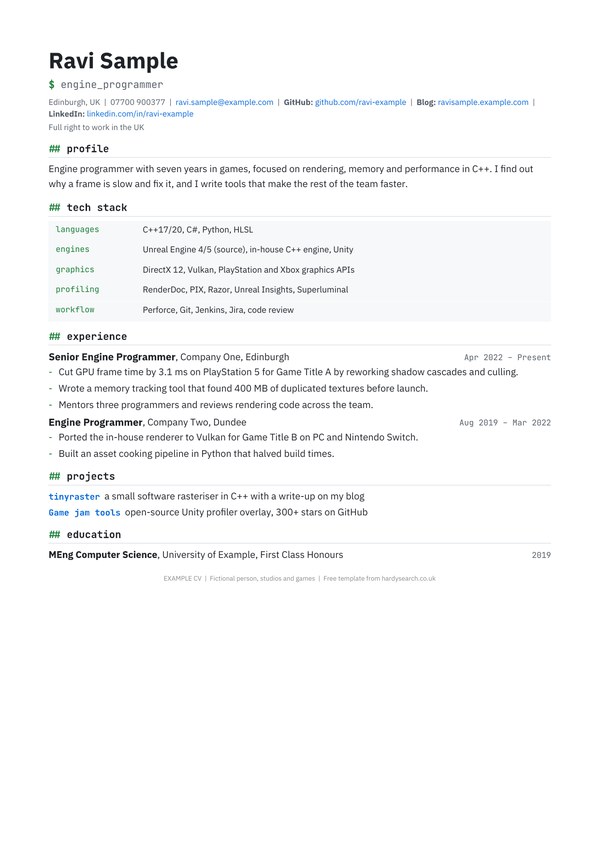
10 Technical
Suits: Programmers, engineers, technical designers and tech artists.
Creative layouts look great to people, but some online application systems read plain layouts more reliably. If you use one of the creative styles (02, 03, 05, 06, 07, 08 or 09), keep a plain version too. Template 01 Classic works well for that.
How to use the templates
- Pick the style that suits you and the jobs you’re applying for. If you’re not sure, start with Classic. You can always make a creative version later.
- Delete the yellow “How to use” box at the top once you’ve read it.
- Replace everything in [square brackets]. That’s placeholder text. Please don’t copy the completed examples word for word. Use them as a guide for writing about your own work.
- Swap in your own pictures. On the creative styles, right-click a picture and choose “Change Picture”. Use your own work only. For a QR code, a free QR code generator can turn your portfolio link into an image.
- Keep it to two pages. One is fine early in your career. If you’ve got a long history, summarise the older roles in a line or two.
- Tailor it for each job. Move the most relevant skills and projects to the top. It takes ten minutes and it makes a real difference.
- Save it as a PDF to send, unless the job advert asks for Word. Name the file sensibly, for example “Firstname-Lastname-CV.pdf”. The full-colour styles look their best as a PDF.
- Ask someone you trust to read it. Fresh eyes spot typos and gaps that you’ll read straight past.
Small tip: the templates use free Google Fonts. They’re built into Google Docs, and you can install them free from fonts.google.com for Word. If you don’t, Word simply uses a similar font.
What goes in each section, and why it matters
Example:
[Your Name]
[Job title you’re targeting], e.g. Gameplay Programmer
[Town/City, Country] | [Phone] | [Email] | [Portfolio or GitHub link] | [LinkedIn]
Why it matters: if a studio can’t reach you, or can’t find your work in one click, you’ve made it harder than it needs to be. You don’t need your full address, date of birth or a photo. A town or city is enough, because it tells a studio whether you’re local, would relocate or want remote work.
Example:
Gameplay programmer with [X] years’ experience in C++ and Unreal Engine, working on [genre/platform] games. I enjoy turning designers’ ideas into systems that feel great to play, and I’m looking for a [role] in a studio focused on [type of game].
Why it matters: this is the first thing anyone reads. Three or four lines covering who you are, what you’re great at and what you want next. Skip the clichés like “hard-working team player”. Show it further down instead.
Example:
Languages: C++, C#, Python
Engines & tools: Unreal Engine 5, Unity, Perforce, Jira
Specialisms: gameplay systems, AI behaviour, performance profiling
Why it matters: studios and their screening tools look for the specific engines, languages and software in the job advert. Group your skills clearly and use the names exactly as the industry writes them. Only list what you’d be happy to be tested on.
Example:
[Game Title] ([Platforms], [Year]) – [Your role]
Example: Built the companion AI’s follow and combat behaviours.
Why it matters: in games, shipped titles carry real weight. They show you’ve been through the whole journey, including the hard bit at the end. If you haven’t shipped yet, game jams, student projects, mods and personal projects all count. Say what you did, not just what the game was.
Example:
[Job Title], [Studio/Company Name], [Town/City] | [Month Year] – [Month Year or Present]
- Example: Optimised the streaming system, cutting load times on [platform].
- Example: Mentored two junior programmers through their first project.
Why it matters: this is where studios see what you can actually do. Start each bullet with an action, focus on results rather than duties, and include numbers where they’re real and you can talk about them. Most recent role first.
Example:
[Degree or Qualification], [University/College], [Year]
Relevant modules or final project: [e.g. procedural level generation in Unity]
Why it matters: it’s useful, especially early on, but in games your work usually speaks louder than your grades. Keep it short. If you’re self-taught, a line on courses or certifications is perfectly fine.
Example:
Portfolio: [yourname.artstation.com]
Showreel: [link] (2 minutes, latest work first)
Code samples: [github.com/yourname]
Why it matters: for artists, animators and designers in particular, the portfolio often decides whether you get an interview. Make sure every link works, the page is public and your best work comes first. If you use one of the creative styles, the pictures on your CV should be your strongest pieces, and each one should have a short caption saying what it is and what you did. Put your portfolio link near the top as well, written out in full.
AI screening: getting your CV past the robots
- Keep a plain version. For online application systems, a simple one-column layout with standard headings (“Experience”, “Skills”, “Education”) is the safest bet. Classic (01) is built for exactly this, and Minimalist (04) and Technical (10) are close behind. Save the creative styles for emails, portfolios and people you’re sending your CV to directly.
- Don’t let pictures carry key information. Screening tools can’t read your artwork, so make sure everything important is also written in the text.
- Use the words in the job advert. If the advert says “Unreal Engine 5” and your CV says “UE”, a human knows what you mean. Software might not. Mirror the language honestly, and never stuff in words that don’t reflect what you’ve done.
- Spell out abbreviations once, for example “Technical Artist (TA)”.
- Save as PDF or Word, whichever the advert asks for.
- Check the plain text. Copy your CV into a plain text document. If it comes out in a jumbled order, a screening tool may read it that way too.
- Write your portfolio link out in full, not just hidden behind a word, an icon or a QR code.
These templates are free to download, use and adapt for your own job search. The completed examples are fictional: the names, studios, games, contact details and links are all made up, and the example text doesn’t describe real people, projects or employers. All artwork in the templates is original and made for Hardy Search & Selection; please replace it with your own work.
When you're ready, I'd love to hear from you
If you’d like to be considered for games roles, send me your CV. If there’s a role that fits, I’ll arrange a video call so I can get to know you properly: what you’re great at, what you want next and what would make a move right for you. And if you just want a second pair of eyes on your CV, feel free to get in touch.